
For add a menu with tags on it the steps are quite simple and easy to understand (Below this text i’ll leave a detailed explanation step by step of how to realize this task) as a DISCLAIMER i have to say that before starting i did a research on the internet for answer 2 questions i had my questions were what were the tags useful for and what were the steps i had to do for add tags in the menu of my Gmail.
- First of all i started by opening my gmail and after that i went towards the left section of the main menu’s section where there a text with the word tags(or etiquetes) written and beside on the right there was a symbol of a + on it .
- After that i pressed the + symbol
- After that a option opened for give the tag a name and i started creating tags and naming them
- I named them depending on the signatures of the cycles and also tags for important things like pending tasks or something.
- I also changed the named of them just not for style but for recognition and psycological stuff for example “reptes a fer/pending tasks” is red because it calls the atention inmidietly as soon as you open it because of the human factor that psicologicly colour red is always asigned as “warning,danger or something urgent”
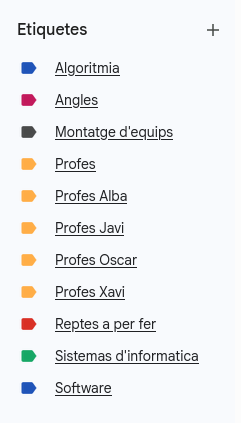
Here is a image of the tags i made and created each one for a special use like signatures,important messages from teachers,etc
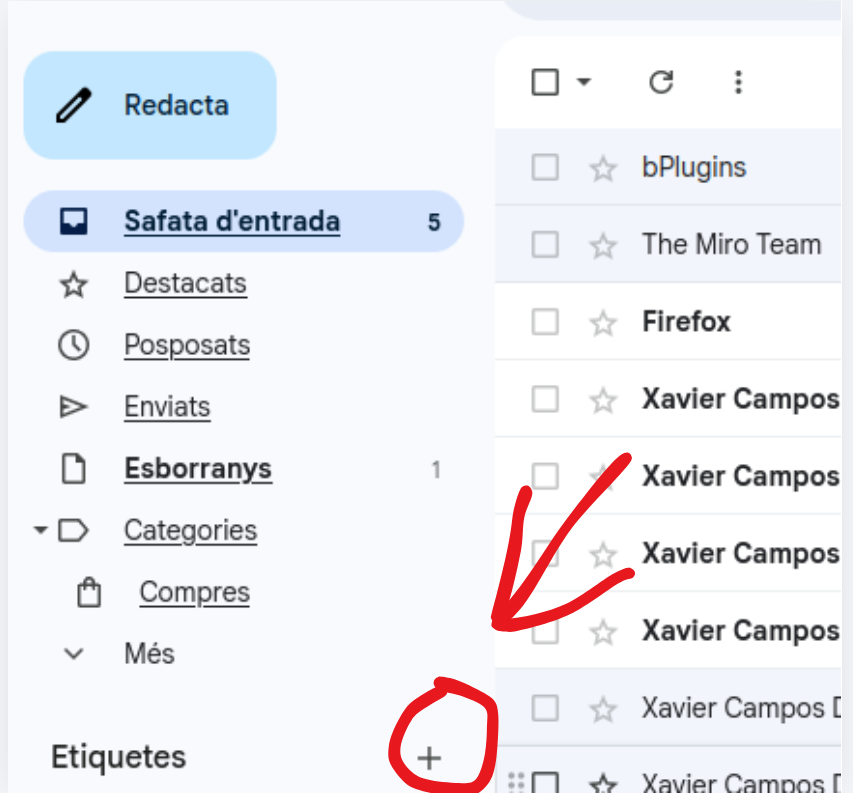
Here is the + symbol i talked about as i previously said this is for adding tags in your gmail
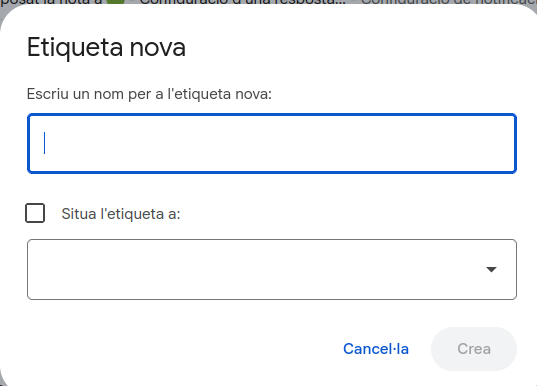
And this what shows up on screen once you press “+” and as it shows it allows you to create a tag and name it as you want.